
AI

+

Design

This project explores how AI can dynamically personalise the post‑purchase experience on travel platforms. Focusing on the often-generic checkout and confirmation stages, it uses existing user data to generate relevant, real-time content that adapts to each traveller.

The idea:

AI That Quietly Shapes the Experience

The use and application of AI is exploding. Every day, we’re seeing new tools, plugins, and platforms—most of them just ChatGPT wrappers. Well… this one kind of is too. But instead of focusing on chatbot interactions or magic “Generate” buttons, this project explores something more subtle: What if AI could reshape the content of a webpage based on who’s looking at it—without the user ever typing, clicking, or even noticing?

No prompts. No UI interactions. Just a dynamic, personalised experience built entirely from the existing data already known about the user—like their age, travel purpose, destination, season, or group type. This project imagines the application of that kind of seamless, context-aware AI system—used specifically in the checkout and confirmation pages of travel platforms, where personalisation usually disappears.

AI gives us the opportunity to deliver hyper-specific personalisation at incredible scale. This concept is a proof-of-possibility for what that might look like.

Not Your Typical UX Project

This project is not a traditional UX case study. If you’re after that, I’d recommend checking out my other design projects. This was developed as a proof of concept, exploring how AI can create richer, context-aware travel experiences. Given the experimental nature and sprint constraints, the process doesn’t follow the standard Double Diamond or end-to-end UX methodology.

This project was developed as part of a university course centred on the exploration of AI in design. Rather than following a traditional UX brief, the task was open-ended: identify a real-world problem and investigate how AI could be meaningfully applied.

The aim wasn’t to create a refined product, but to push the boundaries of emerging technologies and explore how AI could unlock new opportunities for context-aware and user-adaptive design.

Over the course of a 7-week sprint, I developed the concept from initial idea through to proof-of-concept. The work included defining the problem space, researching data viability, mapping opportunities, and building a functional demo. While this wasn’t a full end-to-end design process, the goal was to justify the opportunity, build a clear vision for the solution, and demonstrate how AI could be integrated seamlessly into the user experience.

This was for the most part an individual project, meaning I was responsible for every stage of the process—from research and concept framing to system logic, content design, and technical build.

Why travel websites?

Low engagement.
Lack of relevance.
Lots of data.

You’re booking your next holiday or travel adventure, and the itinerary is coming together. You’re excited, right? Until you hit the checkout page. Suddenly, all that excitement? Gone. Generic, boring, lifeless. “your purchase is complete”. These words should add magic, not kill it.

These companies know a lot about you, where, when, why your traveling. But Personalisation? Practically nonexistent. At least, until now.

Example booking confirmation page

Competitor breakdown

To position this concept, I analysed how major travel platforms currently use data and AI.

🗂️ What They Already Do Well
Booking.com
Airbnb
Google Travel
Expedia Group
Personalised search & filters
✅ Deep filtering, deal surfacing
✅ Strong intent-based filters
✅ Aggregated search + smart sorting
✅ Broad filtering across brands
Behaviour / history-based recommendations
✅ Recommends similar stays & destinations
✅ Learns from past trips and saved stays
✅ Uses search + browse history
✅ Uses loyalty + history to push deals
Dynamic pricing & conversion optimisation
✅ Aggressive price testing, urgency cues
✅ Smart pricing tools for hosts
✅ Highlights "best times" and price trends
✅ Heavy emphasis on discounts & bundles
Cross-platform / ecosystem data use
❌ Mostly internal
❌ Data siloed per listing
✅ Strong tie-in with Maps, Gmail, Flights
✅ Shared data across Expedia brands
Reactive support (chat, FAQs, help flows)
✅ Chatbot + help centre
✅ Messaging with hosts + support
✅ Surface help content contextually
✅ Chat + help flows across products
Booking.com
Airbnb
Google Travel
Expedia Group
Search & filters
Deep filter
Intent filter
Smart sort
Broad filter
History → recs
Stays/dest
Past trips
Browse hist.
Loyalty deals
Pricing / CRO
A/B price
Host tools
Trends
Discounts
Ecosystem data
Internal
Siloed
Maps/Gmail
Cross-brand
Support / help
Bot+FAQ
Host msg
Context help
Cross-product
Where My Concept Diverges
Booking.com
Airbnb
Google Travel
Expedia Group
Personalised post-purchase experience
❌ Static confirmation pages
❌ Host-led info only
❌ Itinerary view, not tailored guidance
❌ Generic confirmation + loyalty copy
Proactive pre-trip support
❌ Mostly notifications for changes
❌ Depends on each host
~ Some auto prompts (check-in, routes)
❌ Limited to booking changes
Invisible AI (not chatbot)
❌ AI is surfaced as a help bot
❌ No embedded AI layer
~ Light AI summaries, still separate
❌ Interruptive prompts, not woven in
Emotional, humanised confirmation tone
❌ Purely functional
✅ Sometimes human via host messaging
❌ Instrumental tone
❌ Corporate, deal-first language
Personalisation beyond upsell
❌ Optimised for conversion
✅ Manual, story-driven but inconsistent
❌ Ad- and visibility-driven
❌ Focus on bundles and upgrades
Booking.com
Airbnb
Google Travel
Expedia Group
Post-purchase UX
Static
Host-only
Generic view
Generic copy
Pre-trip support
Alerts only
Varies
Some prompts
Booking only
Invisible AI
Bot UI
None
Summaries
Interruptive
Human tone
Dry
Host voice
Instrumental
Corporate
Beyond upsell
Conversion
Story (≠)
Ad-led
Bundles

This gap is exactly where my concept sits: using AI to personalise the moments after purchase; the confirmation, the lead-up, and the support no platform currently designs for.

Core Design Insights

  • Invisible AI > Visible AI. AI shouldn’t always be a chatbot or a button, it can quietly shape what the page says and shows, based on who’s looking at it.
  • Post-purchase is prime real estate. The confirmation and pre-trip moments are emotionally loaded and under-designed; they’re the best place to re-invest personalisation.
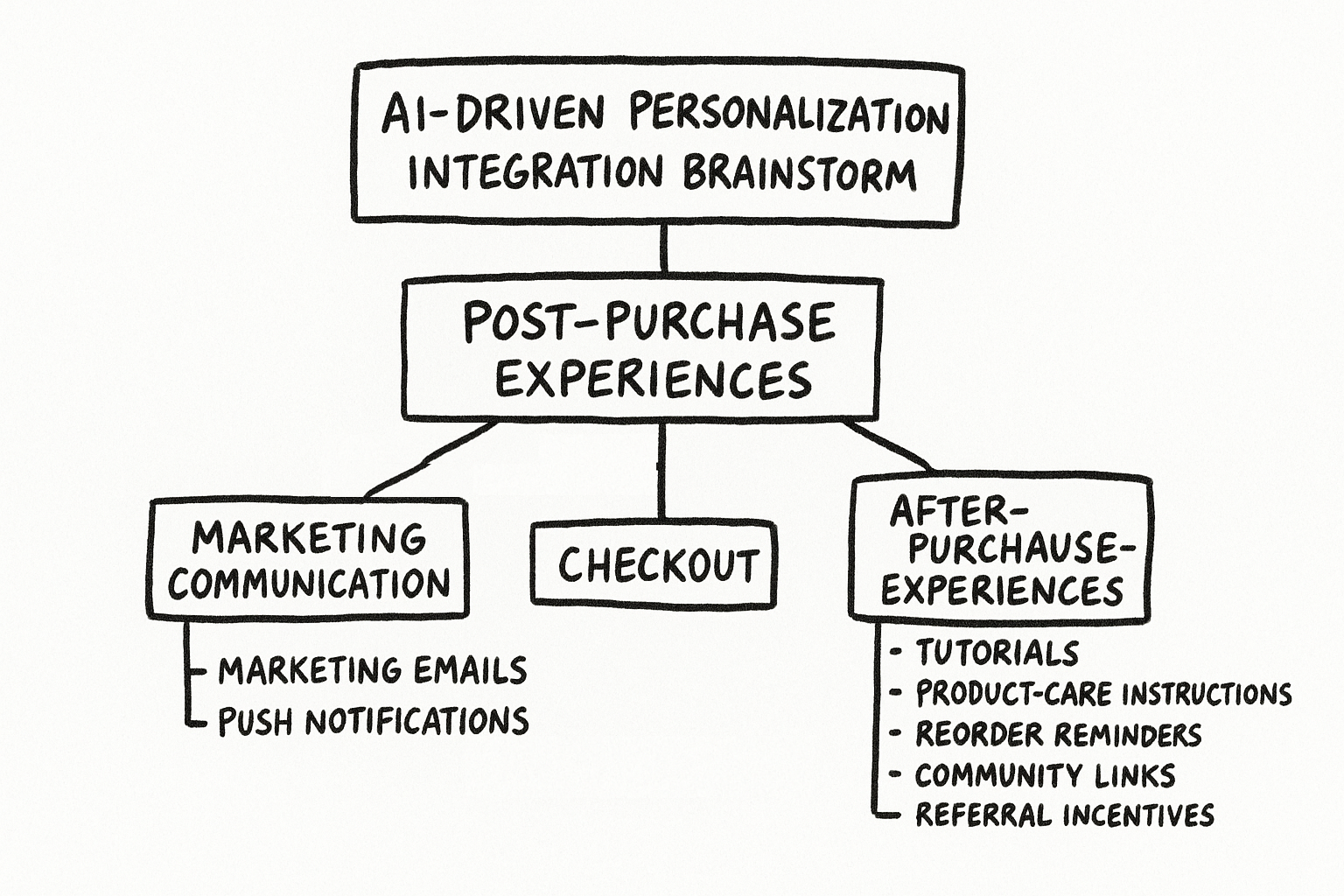
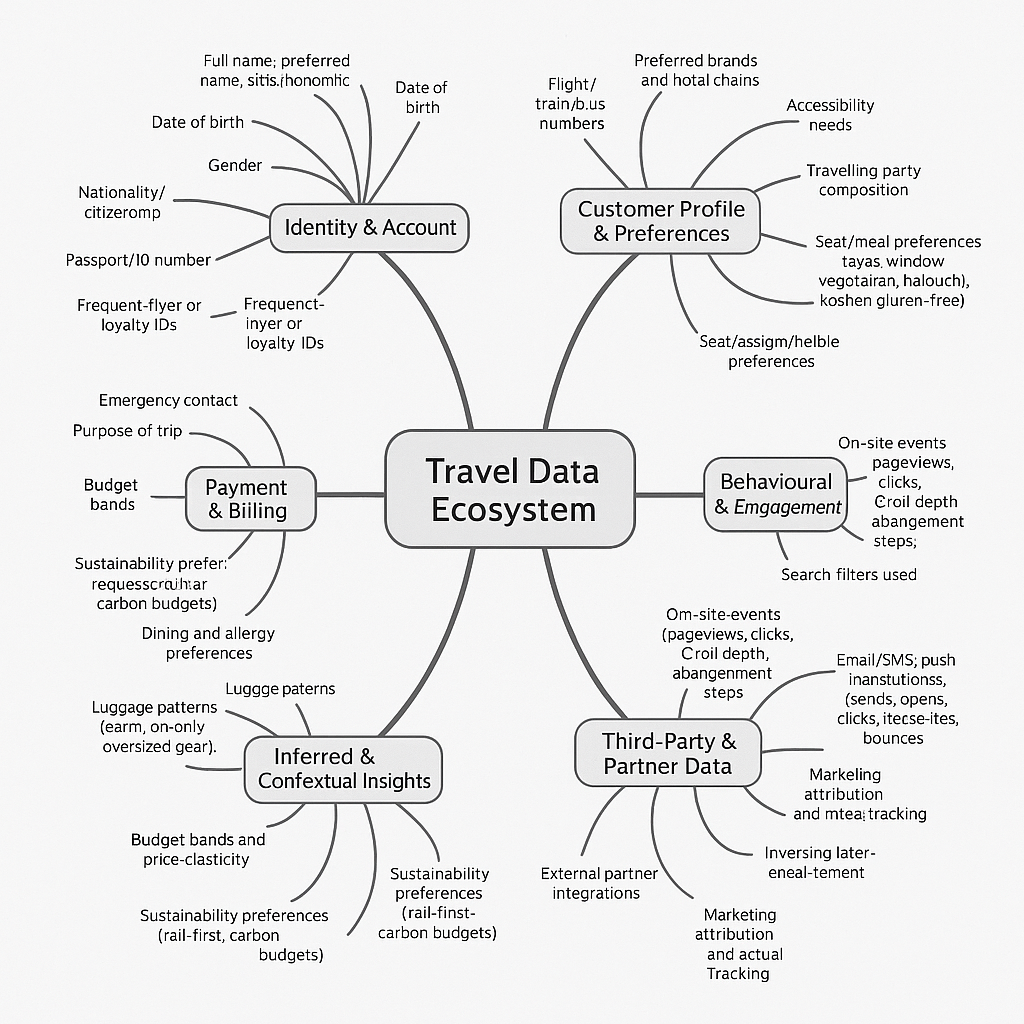
  • Activate existing data, don’t collect more. The opportunity isn’t new data pipelines, it’s using what platforms already know (age, trip purpose, destination, timing, group) to generate context-aware, personalised content at scale.

Below is a fully functional version of the prototype. Try switching between personas to see how the page adapts — same booking confirmation, different traveller, entirely different content. Click any card to expand it for more detail.

the product

travel.app/booking/confirmed

Your Tokyo family holiday is confirmed!

Hi Dewi — here's a practical wrap-up for your first overseas trip with the kids.

Destination
Tokyo, Japan
Dates
18–26 Dec
Travellers
4 Guests
Length
8 nights
Recommended next steps
Arrival & Entry
Visa requirements, Visit Japan Web, and the easiest airport transfer with kids.Essential
Before you fly
  • Indonesian passports may need a Japanese tourist visa — confirm with the Embassy in Jakarta and allow time for processing.
  • Complete Visit Japan Web before departure to generate QR codes for immigration and customs.
  • Tokyo is only 2 hours ahead of Jakarta, so jet lag is minimal.
Getting from the airport
  • Airport Limousine Bus is the easiest option — ample luggage space, direct to major hotels.
  • Haneda is closer to central Tokyo (~40 min); Narita takes longer (~1hr 30min by bus).
Book limousine bus tickets in advance — they can sell out during December peak season.
Family Days Out
Kid-friendly parks, indoor picks for chilly days, and advance ticket tips.With kids
December weather
  • Cool and dry, around 3–10°C with sunset near 4:30 pm.
  • Pack layers: thermal tops, jumpers, a warm jacket, beanies, and gloves.
  • Comfortable walking shoes are essential.
Recommended picks
  • DisneySea or Disneyland — buy dated tickets in advance via the official app.
  • Sanrio Puroland — great indoor option for younger kids.
  • Sumida Aquarium at Tokyo Skytree — easy half-day with young children.
  • Odaiba's DiverCity or Ikspiari (Disney Resort area) for shopping and food.
Busy parks sell out weeks ahead in late December — book as soon as possible.
Getting Around
Suica cards, child fares, halal dining, and family convenience store tips.Family tip
Transport
  • Pick up a Suica or PASMO card on arrival — ask station staff to set up child cards at half fare.
  • IC cards work on trains, buses, and many shops and convenience stores.
Food
  • Family-friendly options: chicken or shoyu ramen, Japanese curry rice, tempura, gyoza.
  • For halal options, use the Halal Gourmet Japan app — good coverage around Asakusa and Shinjuku.
Convenience stores (7-Eleven, Lawson, FamilyMart) are excellent for quick snacks and reasonably priced meals.

Content generated by AI · Based on known traveller data

The goal

The goal of this project isn’t to show a dynamically generated website content, thats not new. This website, will try to show what it thinks is you want to know, and what you should know based on what you probably don’t know. For example:

  • A user from a warm season-less tropical country, if traveling to a cold wintery snowy holiday, probably needs a lot more information about cold weather clothing to prepare that someone from a already cold climate country traveling to the same destination.
  • A user visiting a country for the first time or traveling overseas for the first time, probably needing lots of background information about simple travel procedures and customs to feel comforted and reassured, compared to a experienced or repeat traveler who wants something new and adventurous

Such a hyper personalised experience would have been too much work to implement well before AI, and AI has opened the door for infinitely scalable personalisation in so many industries.

Output / Outcome

So as you can see it generates something. But the biggest question is does it actually personalise the content to each specific user? is it providing valuable insights, advice or comfort to the users? or is it generating generic content each time?

To evaluate this, I created a persona checklist — a structured way to test whether the AI was genuinely adapting its tone, content, and priorities to each user, rather than just generating generic travel copy. Each checklist outlined what I expected to see (key inclusions and omissions) based on that traveller’s background, experience, and goals. By comparing the generated output against these criteria, I could measure how well the model understood contextual nuances — for example, whether it gave family-focused reassurance for Dewi, efficient insider tips for Jordan, or comfort and accessibility for Harold and Margaret. This process turned subjective impressions into something observable and repeatable, allowing me to critique the system’s strengths and pinpoint where it went wrong with defaulted or generic information.

  • Visa info
    Explicitly calls out Indonesian visa requirements and Visit Japan Web; this directly targets her passport and first-time status.
  • Family logistics
    Mentions Airport Limousine Bus as easiest with kids, and child IC cards with half fares — a strong family calibration.
  • Winter prep
    Gives exact temps, sunset time, and layered clothing guidance; fully aligned with “tropical to winter” experience gap.
  • Food Comfort
    Suggests mild spice staples (ramen, curry, tempura, gyoza) and adds Halal Gourmet Japan; a comfort and familiar recommendation.
  • Connectivity
    Covers eSIM/pocket Wi-Fi, Type A/100V, and recommends comprehensive travel insurance — all high-utility and persona-specific.
  • Insider picks
    Delivers Ando, Miho Museum, KYOCERA, MoMAK, specific coffee spots; strong alignment with design/UX/photography angle.
  • Seasonal timing for April (cherry blossoms) Calls out April conditions, tail-end blossoms, blue hour/sunrise slots; clearly tuned to timing + photography.
  • Streamlined itinerary logic
    Smart plan (linking close neighbourhoods and early starts for busy attractions), close but could be more planned and precise.
  • Advanced tips and information
    Covers crowd timing, restrictions, reservations; but is missing deeper hacks, so it’s solid but not maxed-out for seasoned travellers.
  • Simplest arrival plan Effective: pushes official taxis, de-prioritises train for comfort.
  • Connectivity & Payment
    Basic and reassuring. Simple explanation of tipping, cards, cash, adaptors, and travel eSIM; accessible and calm.
  • Comfort
    Emphasis on car over train, jet lag easing, mild walking, queues avoided — strong comfort logic.
  • Activities and rest
    Timed entries and museum closures are covered, but guided tours and explicit rest breaks are implied rather than clearly recommended.
  • Accessibility cues
    Covers accessibility for public transport, but lacks detailed accessibility cues for each activity/location.
  • Omit Unnecessary
    No unnecessary noise info appears, such as JR Pass, nightlife, coworking, deep dives. Scope discipline is good and keeps cognitive load low.
  • Reassuring and structured tone
    Reads like a calm checklist for nervous parents, not an exciting hype — exactly what parents need.
  • Includes airport train vs bus breakdown, Visit Japan Web, IC card setup, ATM advice — too much onboarding for a “frequent” traveller; this dilutes the persona fit.
  • NO Generic top-10s
    No kid fluff, no shallow top-10 spam; recommendations are curated and on-theme.
  • Few but high-value insights
    Strong curation on spots and timing, but space is spent on things Jordan likely knows already, so some optimisation is needed.
  • Prioritises discovery, not reassurance
    Good on discovery, but reassurance/logistics creep in — the program is caught between “experienced” and “semi-new”. It only partially trusts Jordan.
  • Omit
    No nightlife, no budget gaming, no app maze; tone stays age-appropriate.
  • Calm, trust-building tone
    Language is steady, direct, and respectful.
It works!

Across the three personas, the AI demonstrates credible personalisation range, from Dewi’s guided reassurance, through Jordan’s creative autonomy, to Harold and Margaret’s comfort-centric clarity. The system clearly adapts to intent, region, and confidence level.

These persona evaluations hint where future iterations should cut redundancy and deepen contextual sensitivity. While proof that the personalisation is working, it still needs further refinement.

how does it work?

(Basically)
[Backend]
01
Gathering Known Data

The program begins by combining any existing user information—such as travel preferences, past destinations and experiences, and demographic details such as occupation, age and gender — with real-time data about the searched destination, including weather, hotels, activities, customs requirements and cultural factors.

[Backend]
1. Webflow: Collecting and Sending User Data

The program begins by combining any existing user information—such as travel preferences, past destinations and experiences, and demographic details such as occupation, age and gender — with real-time data about the searched destination, including weather, hotels, activities, customs requirements and cultural factors.

2. Vercel: The Middle Layer

Vercel acts as the server-side logic layer. It receives the JSON payload from Webflow and forwards it to the Wordware API.

02
Persona Expansion

Using the combined input, the system builds a more detailed travel persona. This includes generalising traits and expanding on inferred needs, like budget considerations, temporal experience, language support, climatic needs…

[Backend]
3. Wordware + ChatGPT: AI Personalisation Pipeline

This is where the real magic happens. Wordware runs a three-step internal AI process (using ChatGPT) to generate hyper-personalised output:

  • Persona Building: It expands on the input data to create a rich persona. For example, if a user says they’re from Indonesia, it infers relevant contextual traits (e.g., culturally diverse, tropical climate, language background).
  • Gap Identification: It analyses what the user might not know about the destination — identifying gaps between their background and where they’re going. E.g., someone from Indonesia visiting Japan might need info on colder weather, cultural norms, or local etiquette.
  • Content Generation: It produces well-written, friendly content that feels human and relevant, delivered in structured JSON (headings, paragraphs, etc.).
03
Personalised Checkout Page

Finally, the program generates a customised post-search checkout page. This page includes tailored recommendations for accommodations, activities, health and safety tips, required travel documents, and local transport options—curated to align with the user’s persona and destination data.

[Backend]
4. Back to Webflow: Displaying the Output

The AI’s final output is sent back to Vercel, which filters and returns the cleaned JSON. Webflow’s JavaScript then takes that response and dynamically inserts the content into the appropriate divs on the page — no page reloads, no buttons, just seamless personalisation.

The story:

Every project starts with curiosity, and this one began with a question: What if AI could make a website feel genuinely personal—without the user ever typing, clicking, or asking?

Phase 01Start
Assumptions

This project began as a university brief to apply AI meaningfully—find a problem space and design an intervention. I started fast: a Wordware.ai prototype that ingested a few simple inputs (name, age, nationality) and chained LLM steps to infer personality traits and recommend accommodation. It worked—but that early success exposed a bigger truth: LLMs aren’t recommendation engines. They’re language models. What I’d built competed with mature, data-driven algorithms already used by Booking.com, Expedia, and Trip.com, and brought no clear advantage. That realisation was a turning point: learn the difference, and use the right tool for the job.

Rather than force LLMs into matching tasks, I reframed the problem around their natural strength—language and context. If algorithms are excellent at ranking hotels, what’s missing is the human layer: the “why,” the nuance, the for-you context that lives in copy, guidance, and tone. I shifted the focus to the post-purchase moment (checkout/confirmation), where personalisation usually disappears. The question became: What if AI could quietly reshape page content based on known user data—no chat prompts, no buttons—so the experience felt specific, timely, and helpful?

Phase 02Concept
Refined Concept

From there, the concept crystallised: expand the user profile with contextual inference, identify gaps between a traveller’s background and destination (e.g., a warm-climate traveller heading to a cold country; a family vs a solo traveller), and generate dynamic, structured content—packing advice, etiquette notes, seasonal tips, transport options—inserted directly into the page.

Phase 03MVP
Iteration

I iterated the AI pipeline extensively in Wordware: refining prompt stages (Persona → Gap Identification → Output), enforcing structured JSON, and tuning style and tone. Along the way, I wrestled with three core LLM challenges:

  • ▪  Useful depth vs fluff: securing concrete, destination-specific advice rather than generic filler. (Improved with prompt restructuring and model upgrades—from early runs to later models that handled reasoning better.)
  • ▪  Avoiding stereotypes: removing brittle assumptions tied to nationality/occupation; adding guardrails and neutral, evidence-based phrasing.
  • ▪  Structure vs creativity: keeping JSON predictable for the UI while leaving room for delightful, serendipitous suggestions (nearby cities, seasonal events).
Phase 4Prototype Development
Low Fidelity Prototype

Mid-sprint I built a working demo with a local site: a Python script gathered inputs, called Wordware, and returned clean text. I briefly integrated a hotel search API to add live properties and used AI to explain why a place might suit a given traveller—but I cut it due to token costs and because it risked drifting back into “recommendation engine” territory. The learning: be ruthless about scope; keep the AI where it adds unique value.

Phase 5Prototype Refinement
Personal Project

After the class and semester ended, I’ve kept going. I rewrote the integration from scratch: Webflow on the front, Vercel as the server layer, Wordware for the AI pipeline. Webflow JS now collects inputs, Vercel orchestrates the request, Wordware returns structured JSON (headings, paragraphs, cards), and the UI injects content directly into the right components—no reloads, no prompts. The result is a proof-of-concept that feels like the page simply knows you.

What I learned (and applied):

  • ▪  Product judgement: don’t chase novelty; place AI where it’s comparatively strong (language, explanation, tone, context).
  • ▪  Invisible AI is a design decision: proactive, context-aware content beats another chatbot.
  • ▪  Technical depth: API design, JSON contracts, async flows, prompt design/guardrails, and front-end injection patterns for dynamic content.
  • ▪  Data viability > data hunger: use the rich data travel companies already have; don’t burden the user.
  • ▪  Ethics & inclusion: steer clear of cultural stereotyping; prioritise neutral, practical guidance. I’m genuinely energised by where this landed. It’s not a chatbot and it’s not a recommender—it’s a quiet layer that makes the web feel more considerate.
🚀 FutureDirections
Performance and Speed

Right now, the system’s biggest limitation is speed. Each round of reasoning inside Wordware adds latency, and Wordflow itself slows down the response chain. In future iterations, I plan to interface directly with the ChatGPT API rather than relying on Wordware, allowing tighter control over token usage and request flow. By streamlining the logic and reducing token count, the system could return results faster while still maintaining contextual depth.

Adapting to New Models

This project began on ChatGPT-3.0 and later upgraded through 4.0 and 5.0, with each model bringing exponential improvements in reasoning, context retention, and nuance. As these models evolve, the prompting strategy will need to evolve too. Where earlier versions required explicit instructions to “consider culture, weather, and group type,” newer ones infer these automatically. The design challenge ahead lies in re-tuning prompts and logic to match each model’s strengths, ensuring the system remains efficient, adaptive, and intelligent.

Back to home